Hi everyone,
I wanted to share a small milestone and a bit of context.
I started using Gibbon literally about a week ago. I am still very much learning the system and its data model, and I have already posted a couple of questions on the forum that I am waiting for answers to. That said, during this short time, I decided to build a proof of concept module to explore whether Gibbon could realistically replace a specific workflow we currently rely on in ManageBac.
The motivation was very focused. In our implementation of ManageBac, one feature that is heavily used by students, parents, and teachers is the homework calendar style view, which surfaces deadlines visually and independently of the daily timetable. I wanted to see whether something similar could be achieved in Gibbon without modifying core code. I explicitly wanted to avoid touching the core, both for maintainability and upgrade reasons, which led me to explore module development.
The result is my first custom module, called Homework Calendar.
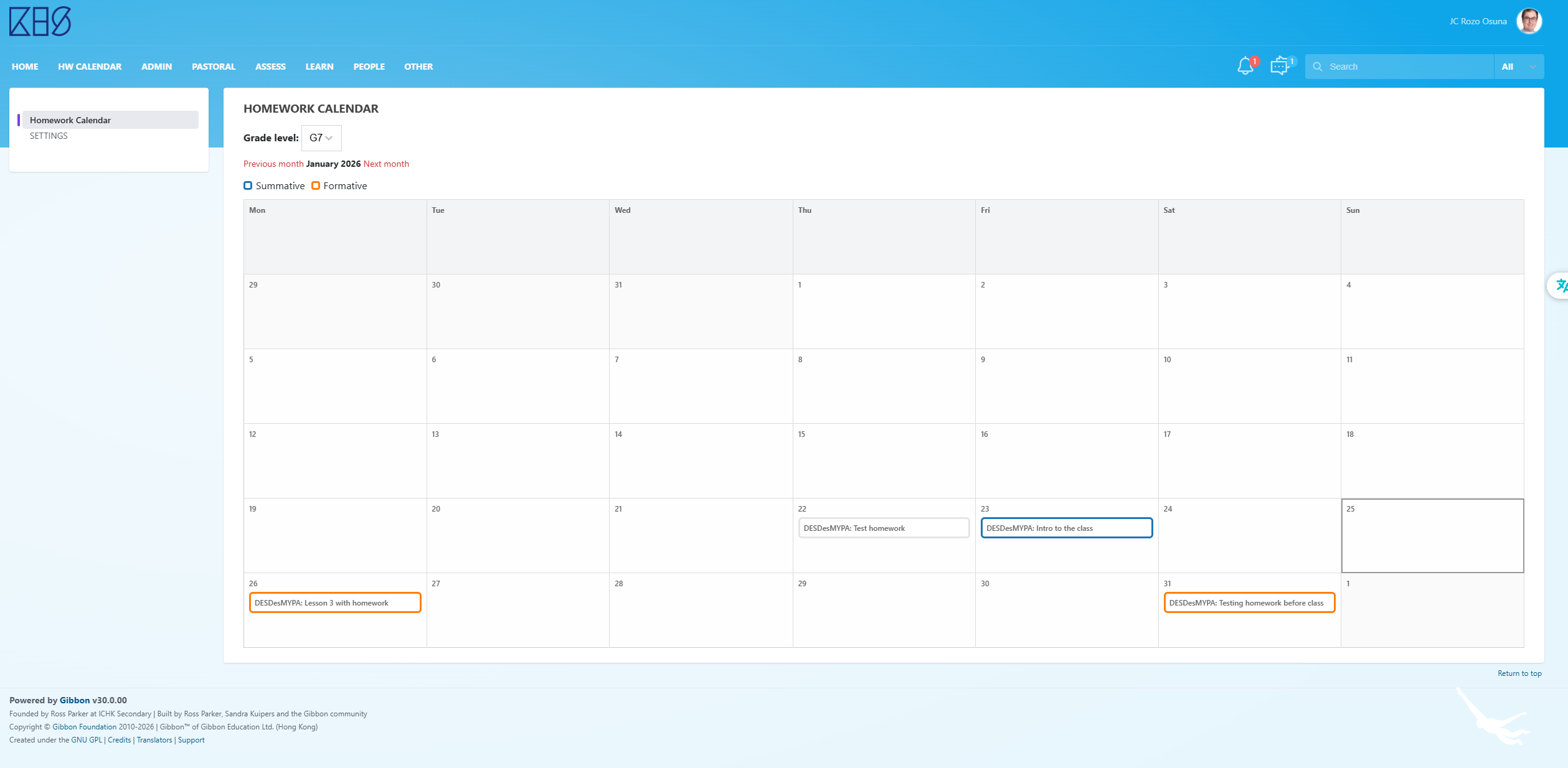
The module provides an alternative view of homework that complements, rather than replaces, the existing Planner. Instead of focusing on lessons and daily schedules, it focuses purely on deadlines, presented in a month calendar grid.
In short, what it does:
Student view
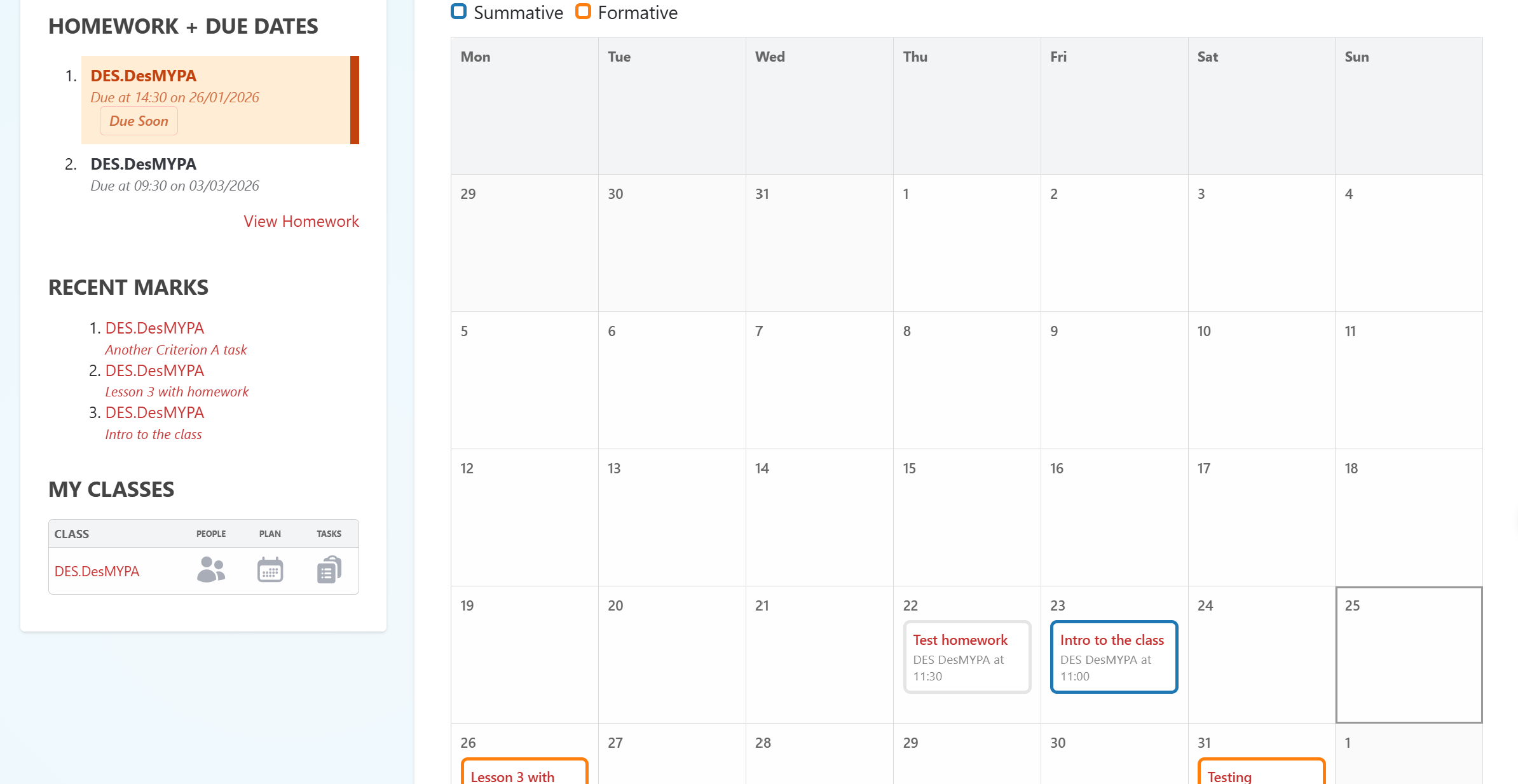
Students see a full month calendar showing all homework deadlines, past and future. Homework appears regardless of whether the corresponding lesson has already taken place, which is something we found important and which is hidden by default in Gibbon’s standard views. Each homework item links back to the full Planner entry. If a homework item is linked to a markbook entry, the title shown comes from the markbook rather than the homework text.
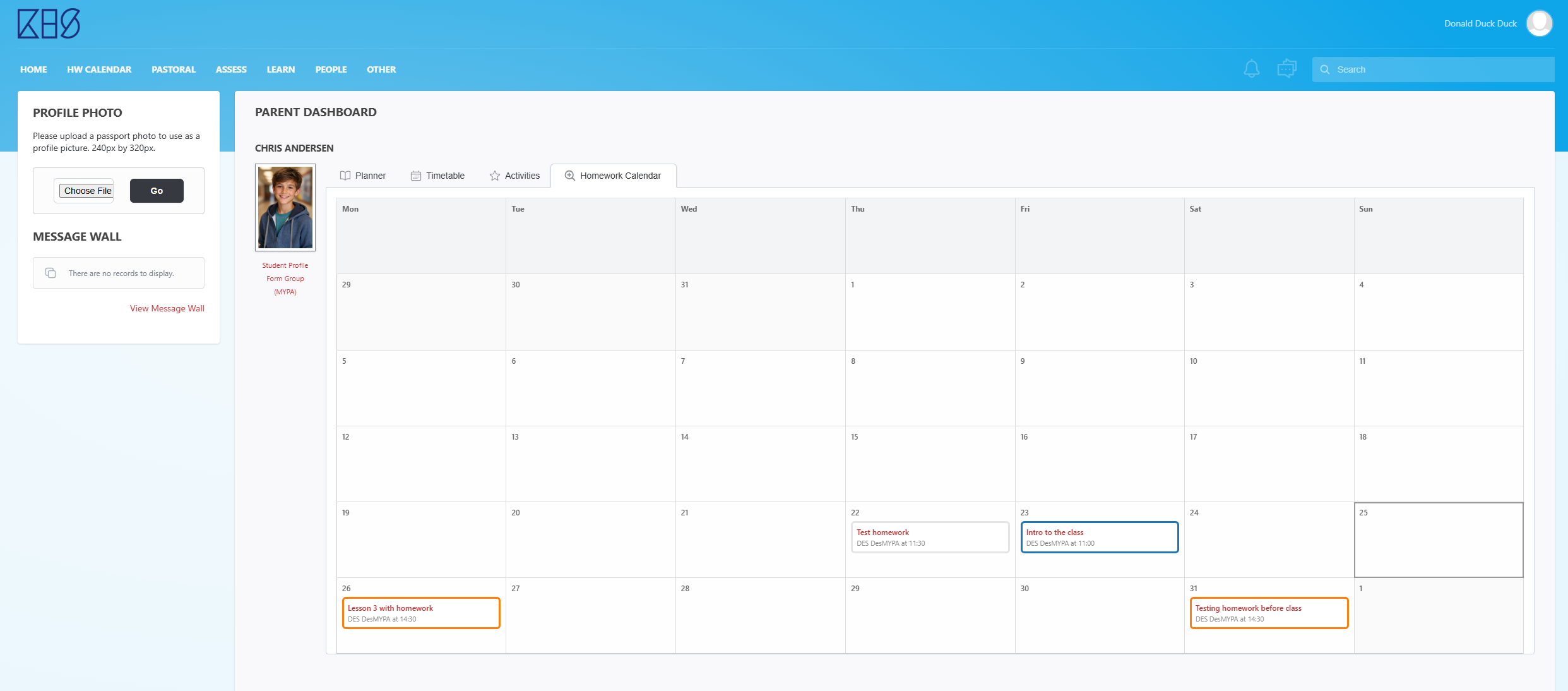
Importantly, homework items are colour-coded by assessment type, with a legend shown at the top. In my implementation, our school would use just “Formative” and “Summative” as assessment type, but the module adapts automatically based on the different types in the Markbook settings.
There is also a new tab in the student dashboard with this information. For our school, we might even set this as the default home tab when students log in.
Parent view
Parents see essentially the same calendar view as students. If a parent has access to multiple children, the calendar can switch context appropriately. Homework visibility respects existing Gibbon permissions, including viewableParents. The idea here was to give parents a quick, visual overview of what is coming up, without needing to interpret timetable structure. There is also a new tab in the parent dashboard with this information.
Teacher view
Teachers see a month calendar grid as well, but with a different purpose. They can select a grade level they teach and see all homework deadlines for that year group at once (including all classes that belong to that year level). Homework is labelled by class, and again, color-coded. They do not have links to any of the homework, literally it is for viewing. This is not meant as a marking or tracking tool, but as a way to quickly sanity check workload distribution before posting new homework and to spot potential deadline clustering.
Admin view
The admin has an extra option for setting up the color coding system. That way you can choose which specific colors to use for the different types of HW/tasks.
Why this view might be useful
For us, the value of this approach is threefold.
First, it is genuinely visual. By removing the clutter of daily lessons and subjects, the calendar makes deadlines stand out immediately.
Second, it is deadline-focused. It answers a very simple question quickly: what is due, and when.
Third, it surfaces future deadlines even when the lesson has not yet happened, which helps students plan ahead and helps parents support that planning (in our context, even if the lesson has not been taught, it is advisable for students when that homework is coming up, specially because many times it is not really what people would normally consider homework, but an online submission of something they already are aware will come up in the future and they want to know when).
Along the way, I also used this as an opportunity to explore Gibbon’s dashboard hook system, permissions, family relationships, and module architecture. The module integrates into student and parent dashboards as a tab, again without modifying core files.
I am sharing this partly as a learning experience and partly because I suspect other schools migrating from ManageBac, or similar platforms, may be looking for a comparable way of presenting homework. I am happy to share the code and discuss design decisions if there is interest. That being said, I am not even sure how I would do that… Paste a ZIP file of the module here?
Thanks to everyone on the forum whose previous posts helped me get this far, and I am very open to feedback, suggestions, or pointers on how to share it (if it is, indeed, worty of sharing ;))
Screenshot of parent dashboard (AI generated student, not a real photo)
 looks like you’re off to an excellent start, getting up to speed not only on the admin side but also diving into development.

