Like title say….how do i disable or hide student data update from last year.
When the parents log in they can see data update from last/previous year.
I would like to setup that parents only see data from current year.
Thanks
Like title say….how do i disable or hide student data update from last year.
When the parents log in they can see data update from last/previous year.
I would like to setup that parents only see data from current year.
Thanks
Hi @calx
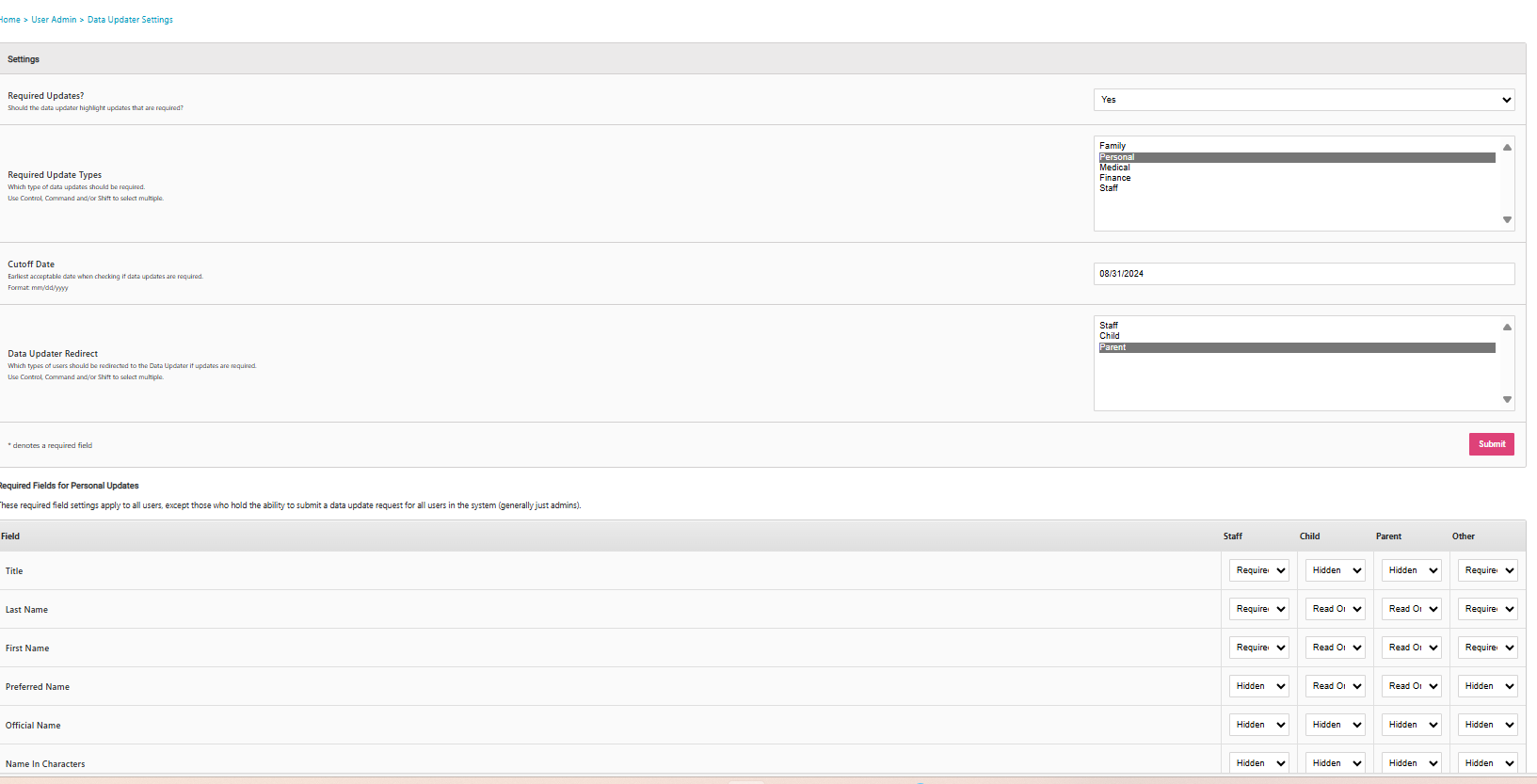
Thank you for your question. You can turn off the “Required Updates” in User Admin → Data Updater Settings to prevent the parents viewing the data update from last year. Hope that helps. Thanks.
Thanks for your replay.
I checked that. But there is no option select no data updater for last/previous year.
Hi @calx It’s the cutoff date that you’d want to update to the current year. Notice how it is currently 2024. This will then mean anyone who hasn’t submitted data updates after the cutoff will once again be redirected and prompted to submit their updates.