Gibbon enthusiast from Uganda here :).
I’m setting up term reports and could use some guidance. I’ve successfully:
Created and populated markbooks.
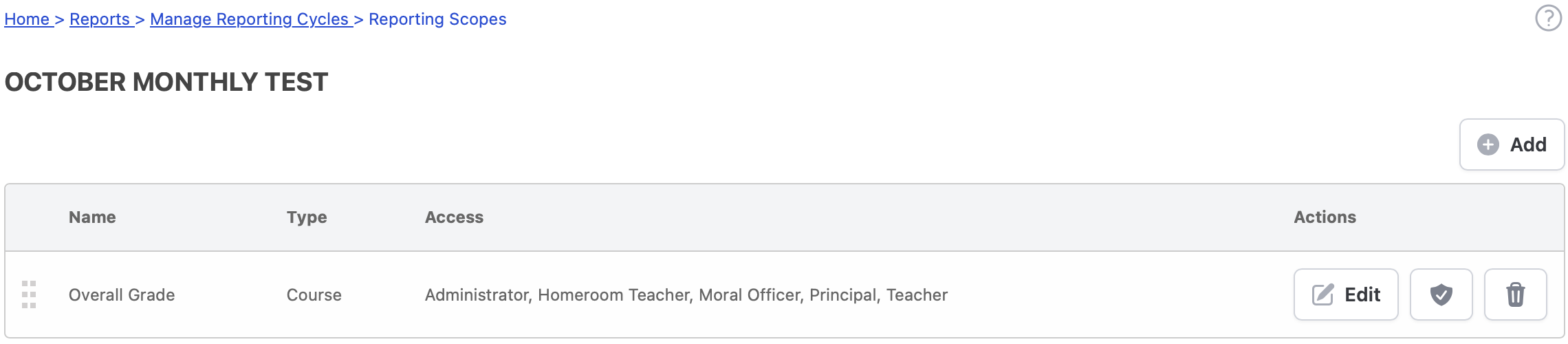
Set up a reporting cycle with scopes and criteria.
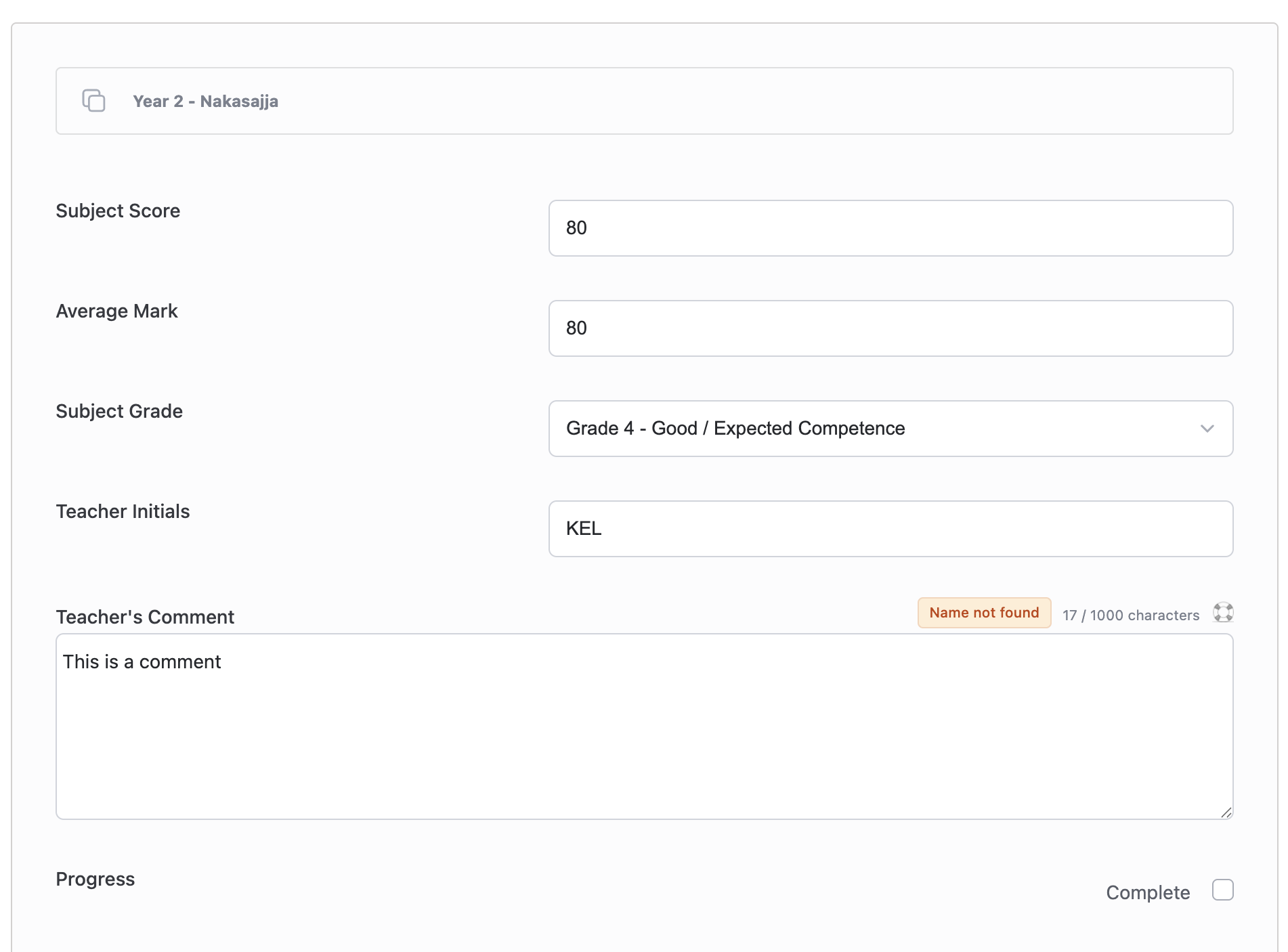
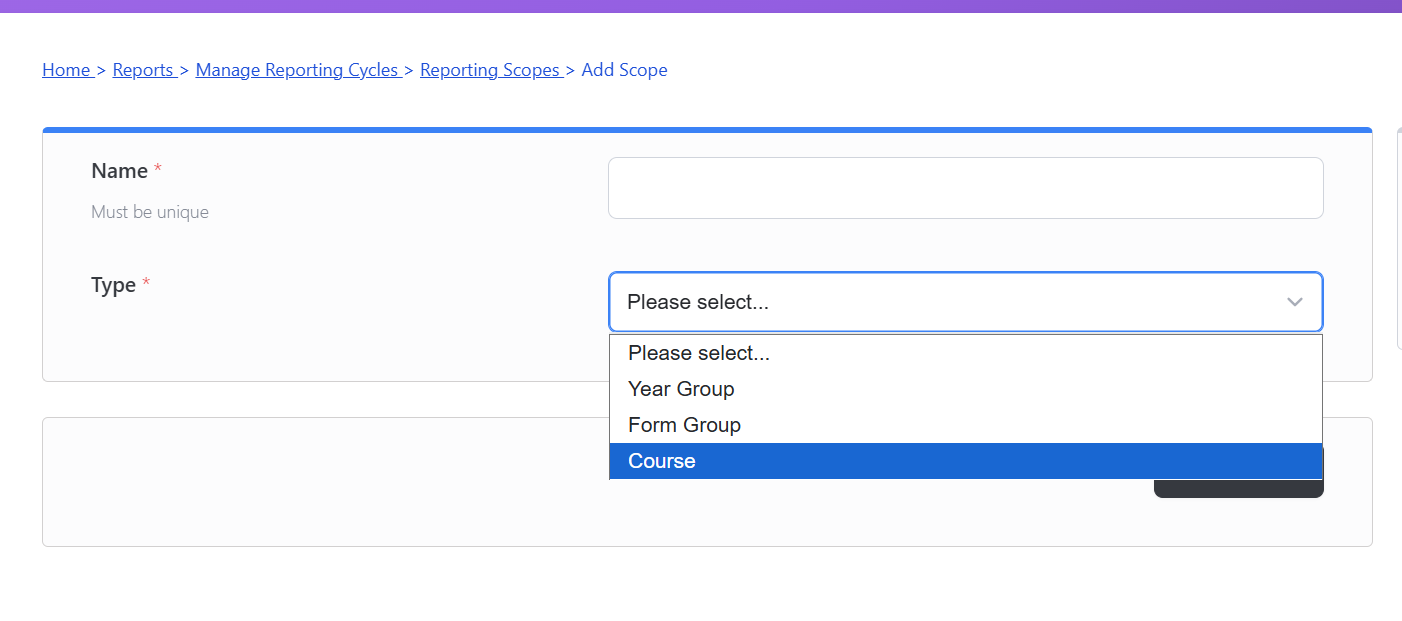
However, when I go to Reports > Write Reports, the interface only shows fields for general term data (like overall results & comments). I can’t see any way to input or display marks for individual subjects.
I understand from tutorials that markbook data doesn’t auto-populate into reports, and that’s not what I’m asking. My question is about the structure of the report itself: How do I create a report that has a section for listing a student’s performance in each subject?
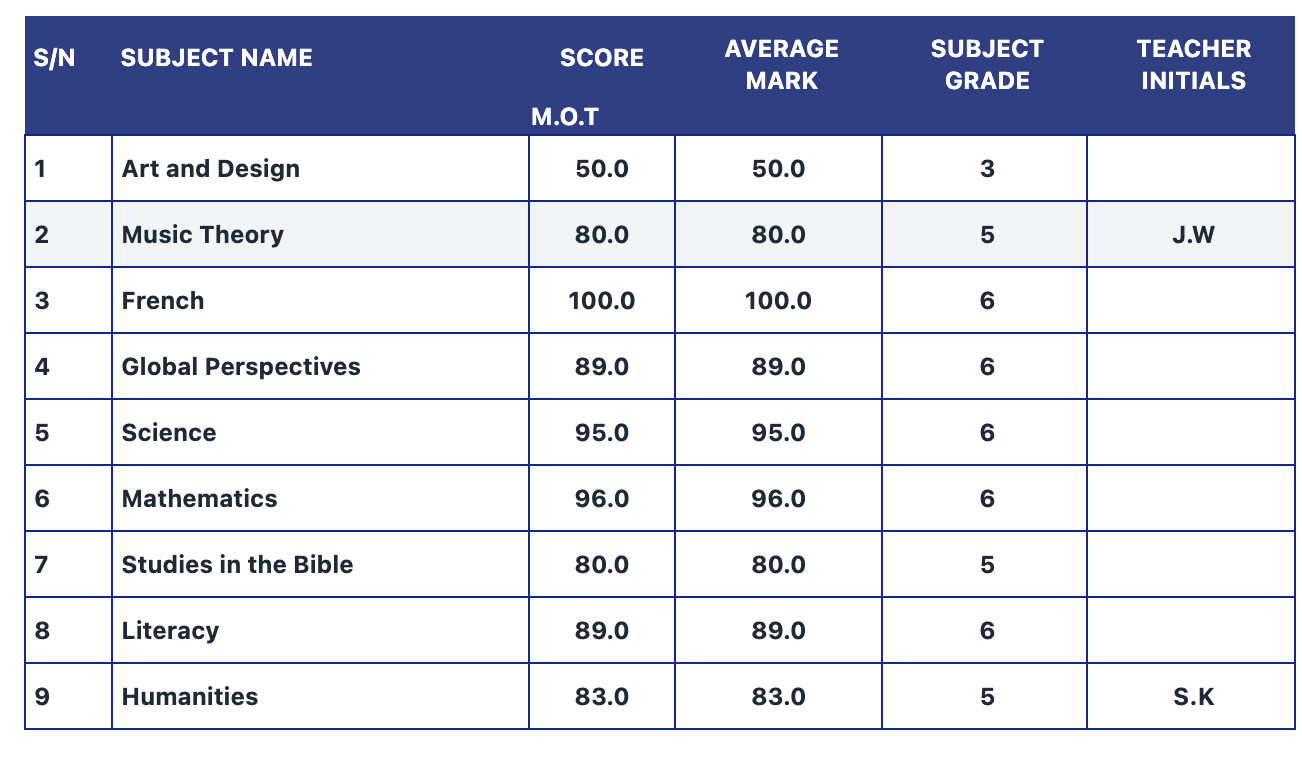
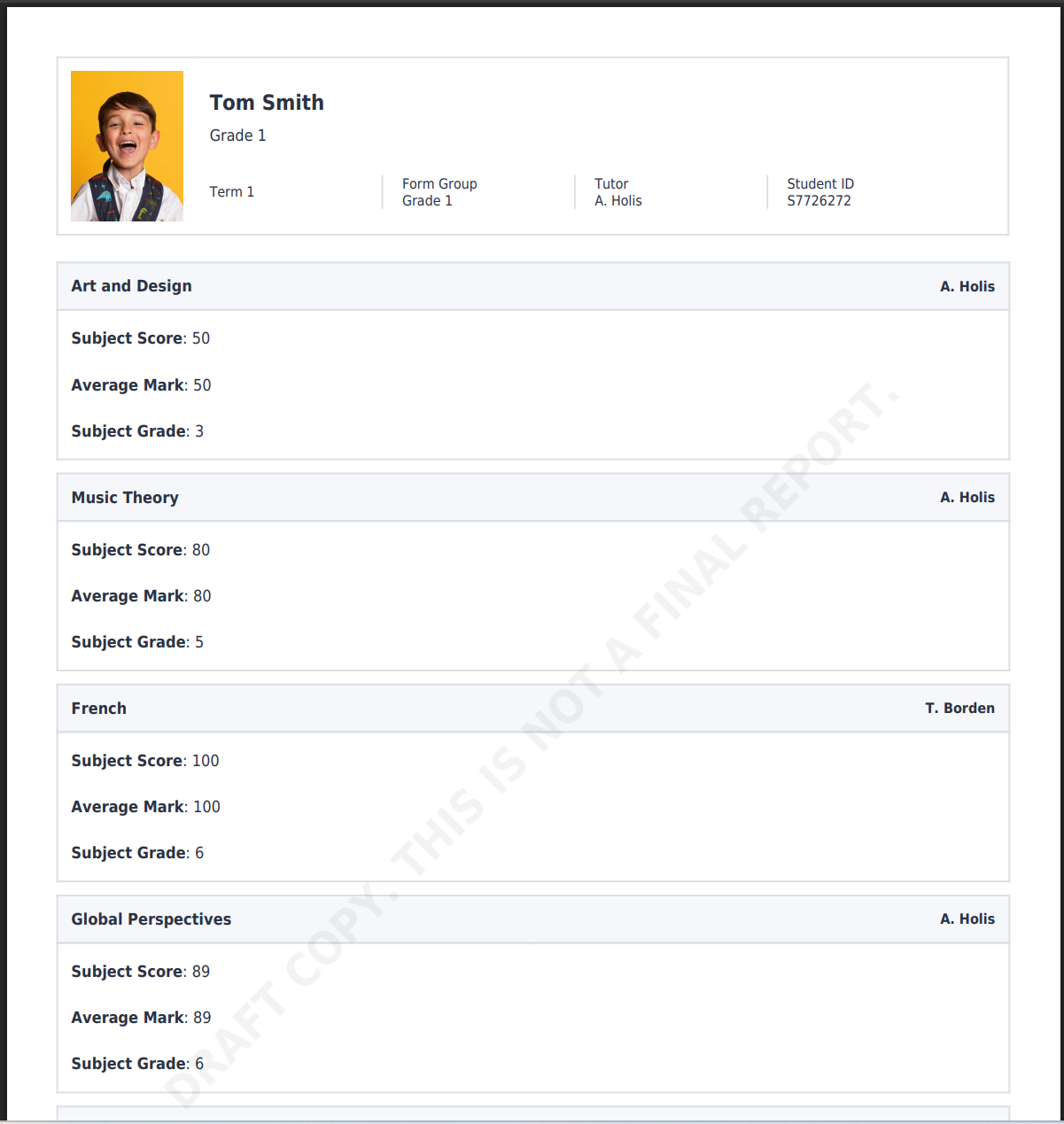
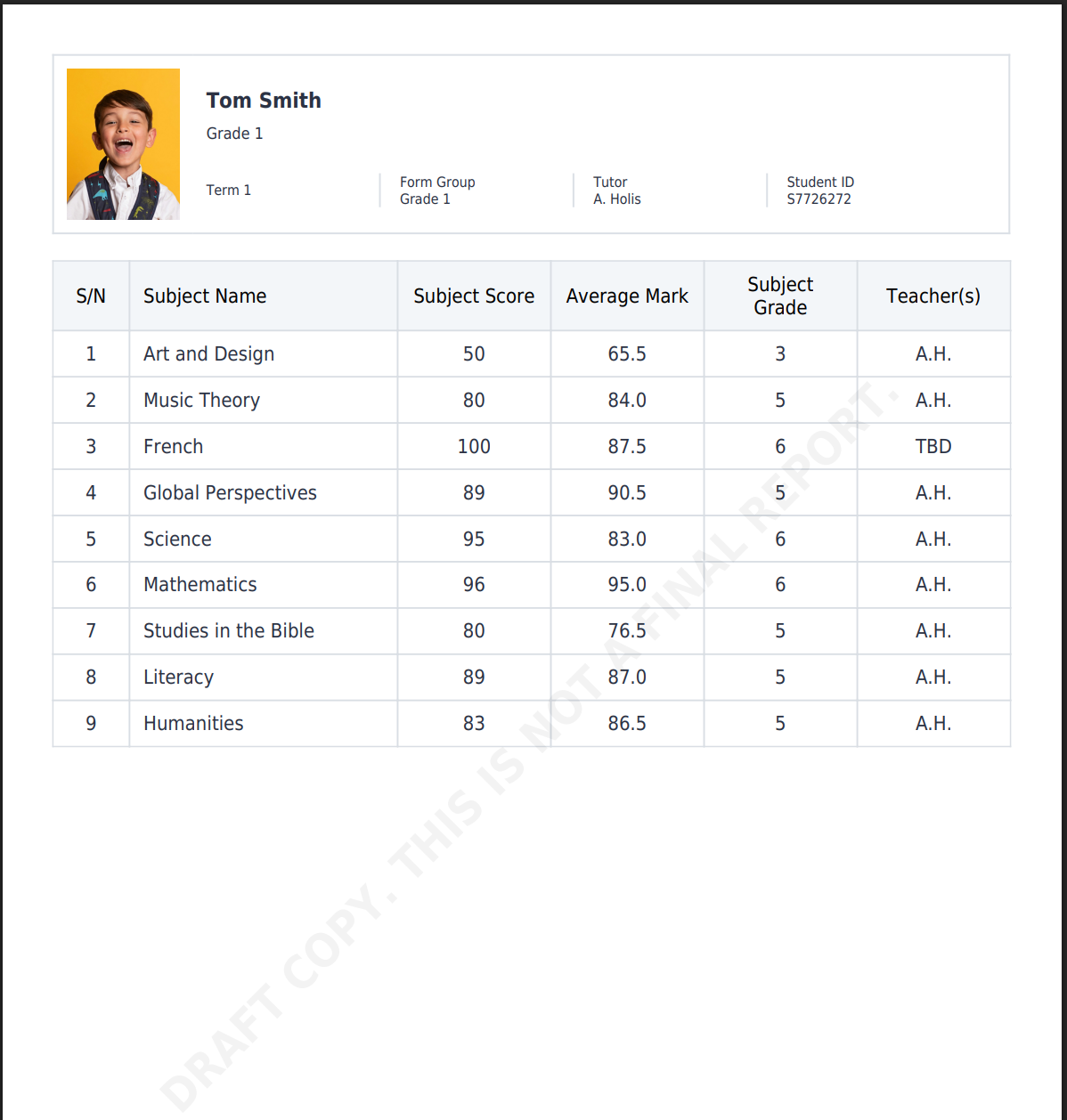
In other words, how do I set up the reporting cycle or the “Write Reports” page, or any other setting I might be missing so it includes a dedicated area for subject-specific information? I’m aiming for a report format that can accommodate a list like this:
Could someone please point me to the correct workflow or a specific setting I might have missed? I’ve reviewed the documentation but haven’t figured out a solution yet.
Just to confirm — is the Average Mark the average of all students’ Subject Scores for the class? Is this a calculated field, and do you want the calculation to be handled within Gibbon?
Also, is the Subject Grade derived from the value of the Subject Score?
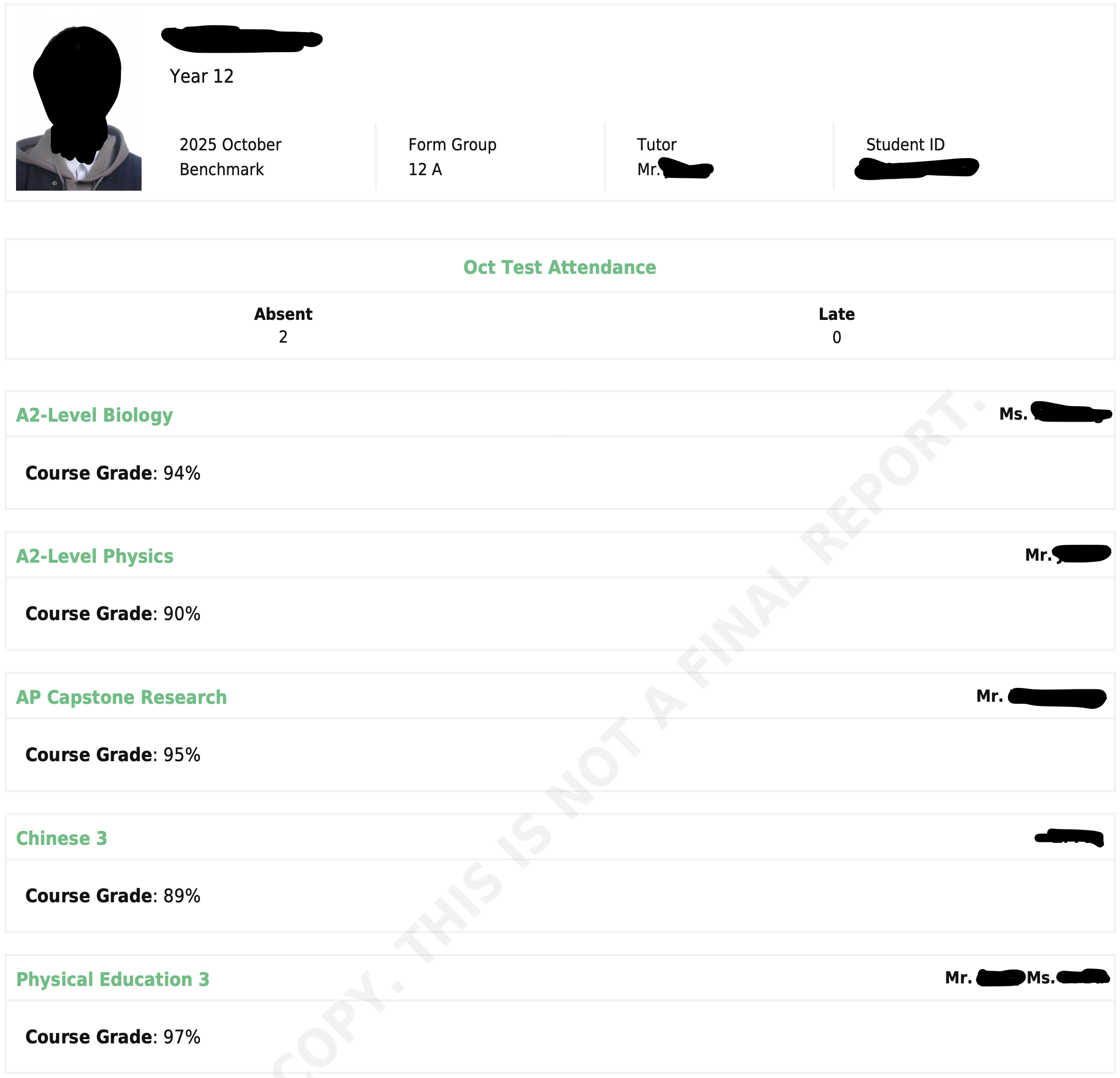
I am still figuring out reports myself, and certainly haven’t gotten into formatting them beyond the default template, but it sounds like you’re looking for reports by course. When teachers are part of the active reporting cycle, they each contribute based on the individual course, be that comments, grades, etc. The reports can also be per student (like form group comments) but I don’t think that’s what you’re looking for.
Basically, every class needs to be added with subject teachers, then populated with students. This will allow quick reporting for every subject.
Hey @tiekubd . Thanks for your response! So average mark is for each student and for each subject score. While the attached report example is for one assessment, “MOT,” at the end of the term the report will have BOT, MOT, & EOT scores for each subject which makes the average score more relevant. So yes, it’s a calculated field and would love for it to be handled in Gibbon if possible. And Subject Grade is derived from Subject score too.
Thank you so much for sharing such valuable knowledge, @tiekubd . If it’s not too much bother, when you say: I built this report using grades from the Reports module, though it could just as easily use data from the Gradebook. How would it work if the grades were retrieved from the Gradebook?
Gibbon provides a flexible framework to build almost any type of report, but this does require some coding — specifically knowledge of PHP, HTML, SQL, Twig template tags, and some YAML front matter.
To retrieve grades from the Gradebook, you can create a custom source file and template.
In my setup, I use the Gradebook module to enter grades and the Reporting module to generate and present them in report cards. The key is writing a source file that pulls the data from the Gradebook and a template that formats it for display.
I’ve worked with a few schools to produce custom reports in Gibbon, and it’s quite flexible once you get the hang of the structure.