Hello Gibbon community,
I’m looking to enhance security and convenience in our school’s Gibbon installation by integrating biometric authentication for logins. Specifically, I want teachers and students to be able to log in using biometrics (such as fingerprint or facial recognition)
Reviewed the Gibbon documentation on custom modules and authentication hooks, but I’m unsure how to tie in biometrics."]
[e.g., “Looked into SSO options like OAuth, but biometrics seem to require a custom integration.”]
Has anyone successfully integrated biometrics for logins in Gibbon? If so, what approach did you use (e.g., custom module, API hooks, third-party plugin)?
Are there any existing modules, extensions, or code examples for this?
If custom development is required, can you recommend steps, resources, or developers experienced with Gibbon?
Any potential challenges or compatibility issues I should be aware of?
Thanks in advance for any guidance!
Hi @Pchamproux
For what it’s worth, on iOS I’m already getting a very convenient “biometric-style” login experience without any changes to Gibbon itself.
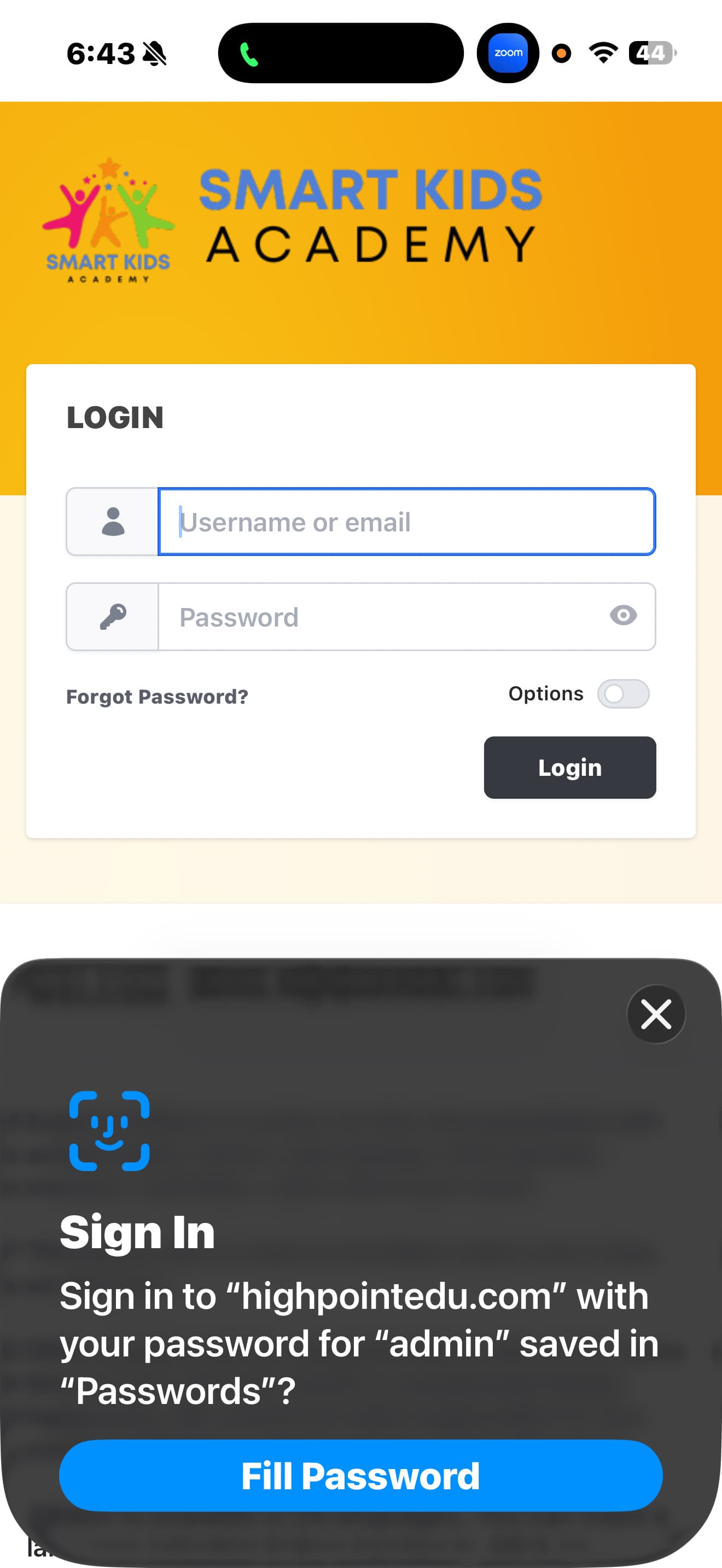
Once I’ve logged in the first time, Safari offers to save the credentials. On subsequent visits, I can log in using Face ID without typing my username or password, as shown in the screenshot.
Technically, this isn’t biometric authentication handled by Gibbon. Face ID is used locally on the device to unlock the saved credentials in the password manager (iCloud Keychain), and Safari then autofills the standard username/password into Gibbon’s existing login form. From Gibbon’s perspective, it’s still a normal login.
This provides a very smooth and secure user experience for teachers and students on supported devices, without requiring any custom Gibbon development.
If true biometric or passwordless authentication is required at the server level, then you’d be looking at SSO (IdP-managed) or adding passkeys/WebAuthn support, which would require application-side development and support.
Hope this helps.