We have noticed a few inconsistencies in the coverage system of New Absence and would like to share them for review:
1. Timetable Status for Coverage Requests
In the teacher’s timetable (teacher sending the coverage request), the “Covered by” label is displayed even if the requested teacher has not yet accepted the coverage.
If the requested teacher declines the coverage request, the original teacher’s timetable still shows the coverage as assigned to the declined teacher
If another teacher is requested (after the first teacher declines) and accepts the coverage, the original teacher’s timetable does not update to reflect the newly accepted teacher.
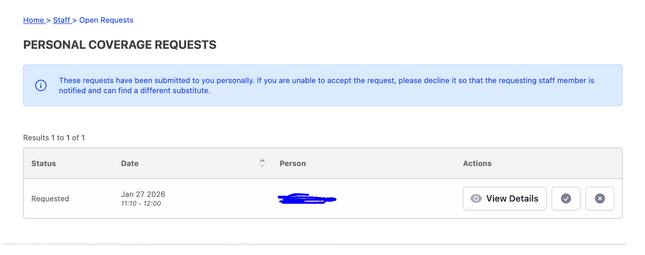
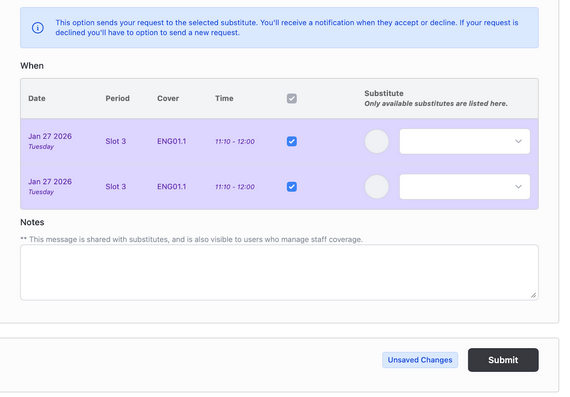
If a leave request is cancelled before the substitute teacher accepts or declines it, and a leave request is then applied again for the same day, it results in duplicate timetable slots.
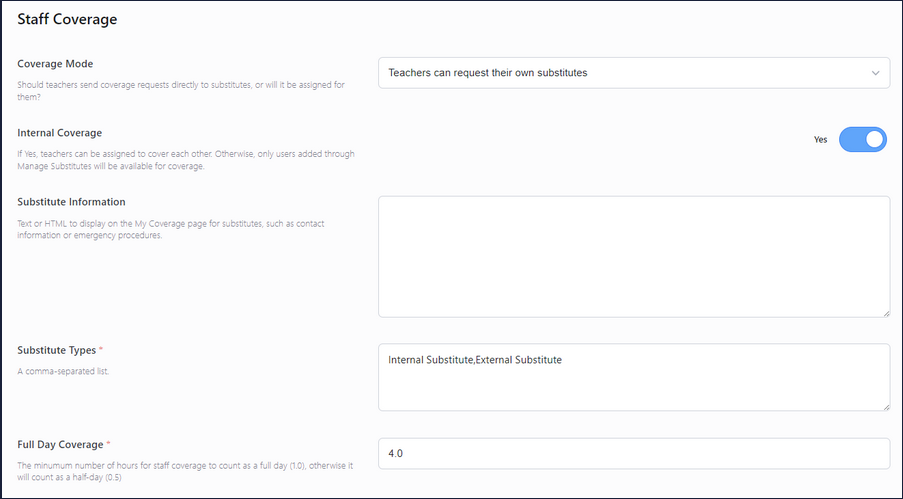
For issue 2, I tried to reproduce it by following the steps to create a coverage request and cancel it before accepting, then request again, but I wasn’t seeing duplicated timetable slots with the data I have. Are you able to share the specific coverage settings you have enabled in User Admin > Staff Settings, so I can try and replicate the issue with the same setup.
Thank you for addressing the issue. The first issue has been resolved.
Please find the attached screenshot showing the coverage settings currently enabled under Admin → Staff Settings. This should help in replicating the issue using the same configuration.
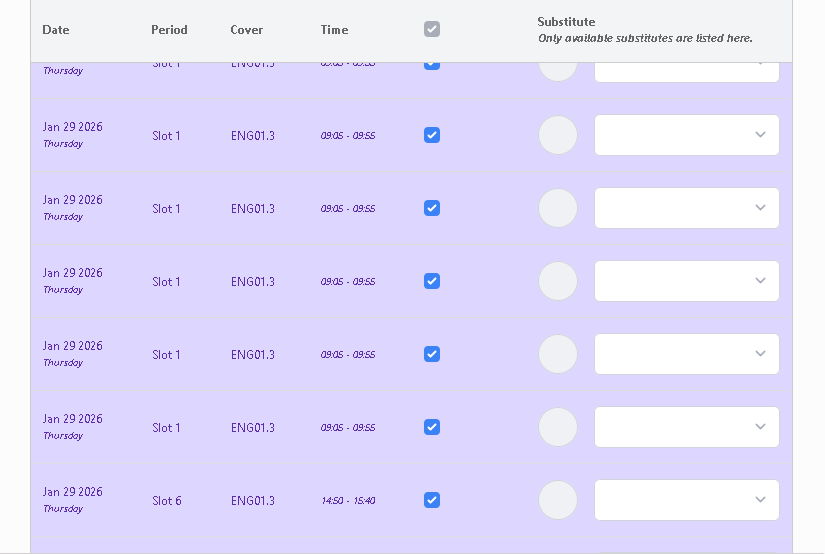
We updated the files as suggested, and the timetable view issue (issue 1) has been resolved. However, the duplicate time slots issue (issue 2) is still not resolved.
Please find the attached screenshot below showing the duplicate timetable slots occurring under the same scenario.