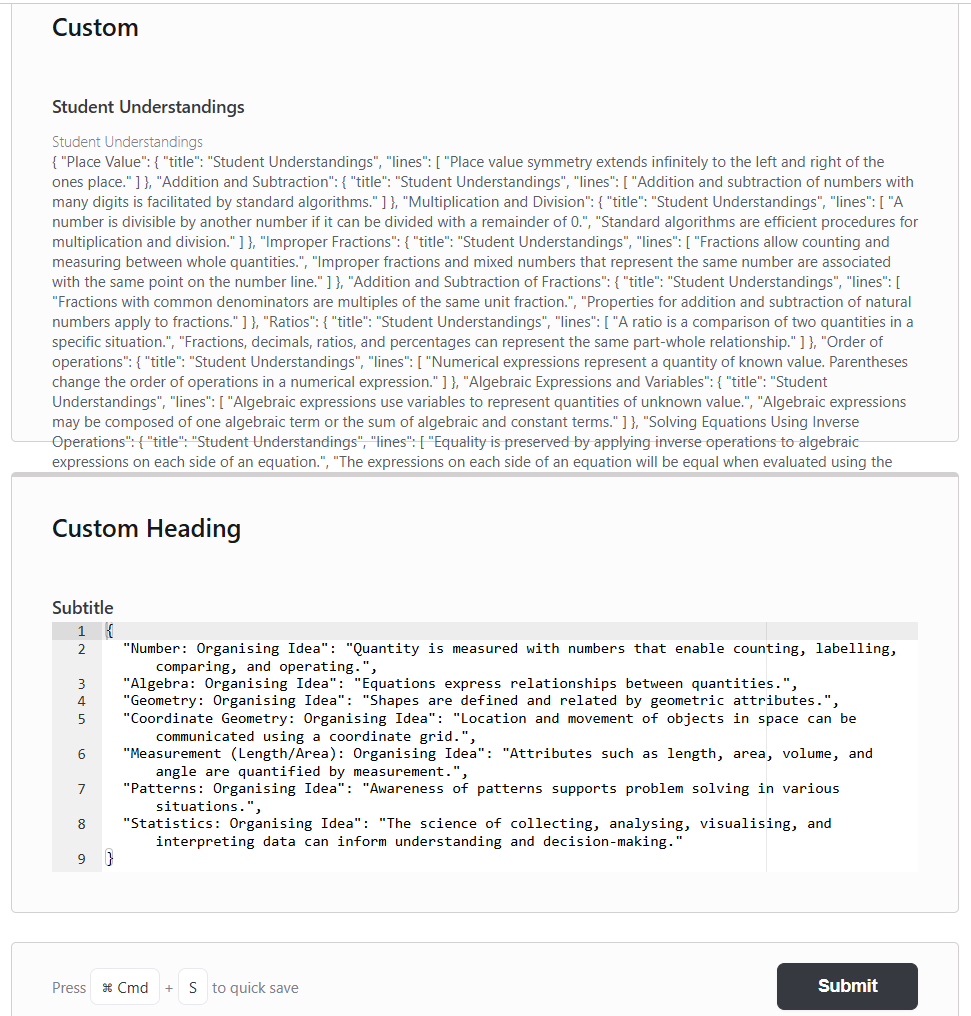
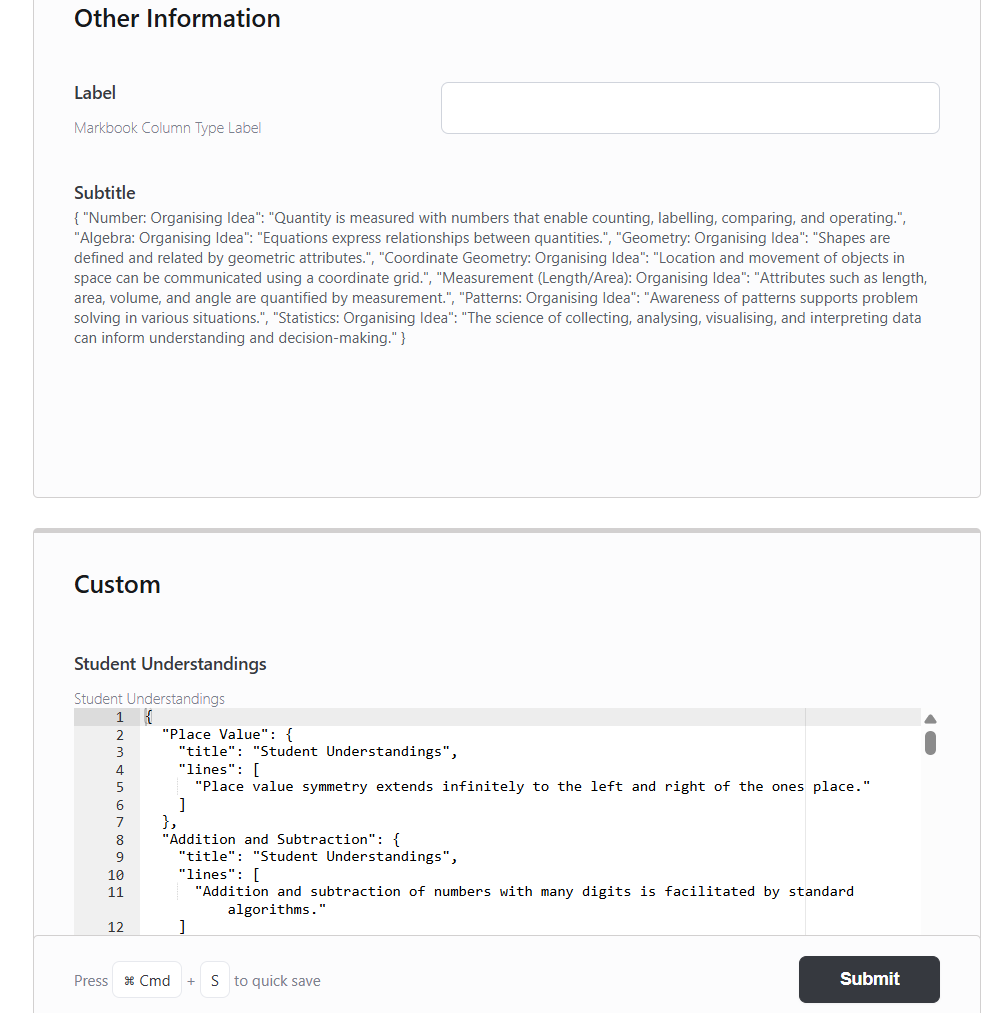
I am creating custom fields in the Course context using the Code field type.
Initially, everything works as expected. However, after adding a second custom field of type Code, the field becomes uneditable in the UI.
Interestingly, the behavior appears inconsistent—depending on the heading/group the field is placed under, it may become editable again. This suggests there may be an issue with how Code-type fields are handled or rendered in certain contexts.
This appears to be a bug. Please see the attached screenshots for reference.
I would appreciate it if you could investigate this issue.
I was able to trace this issue to the CodeEditor.template.php file.
Root cause:
Each Code-type custom field outputs a <script> block that defines a global setupEditor() function and then calls it. When multiple Code fields are present on the same page, this function is redefined multiple times, causing conflicts. As a result, only one Ace editor instance initializes correctly, and the others fall back to static (non-editable) content.
Additional issue:
Each script initializes Ace using a hardcoded element ID, rather than supporting multiple instances dynamically.
Fix:
I removed the shared global setupEditor() function and replaced it with a self-contained initialization block (IIFE) per field. Each instance now:
Initializes its own Ace editor using its unique ID
Syncs content to the hidden textarea correctly
Avoids duplicate initialization
Cleans up safely on HTMX page swaps
This allows multiple Code-type custom fields to coexist and remain editable across different groupings and layouts.
Thank you for your patience, and apologies for the delayed response. We were away for Easter break and then I got occupied with a conference and tour.
We really appreciate your work on this and the detailed description of the issue. Could you please submit a new pull request with the updated changes for our review? Once tested, we can proceed to merge it into the core version. Alternatively, feel free to share the patched template with us.
The changes focus on improving the reliability of the ACE editor initialization, particularly in course context where repeated initialization or HTMX swaps could cause the editor to become uneditable.
I’ve tested this in v31.0.00 and confirmed that:
The editor loads correctly
Content updates sync properly
Duplicate initialization is prevented
The editor cleans up correctly before navigation
Please let me know if you’d like any adjustments or additional testing.
Hi @tiekubd
Thank you so much for your thoughtful work on this. We really appreciate the time you’ve put into resolving the issue. It’s great to hear you’ve tested this in v31.0.00.
We’ll take a closer look at the PR, but this already looks like a solid and valuable contribution. Thanks again!