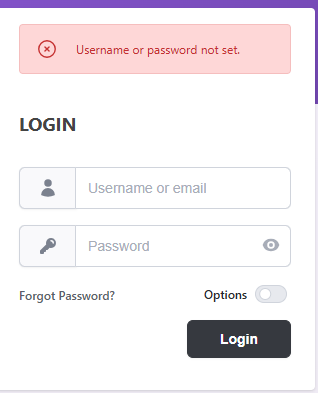
I used Softaculous to install and no matter what I do I can’t get logged in. It is almost like the login information is not connected. I have checked in the gibbonPerson table and there is a line for the Admin account. I have updated it and reset it using SQL, and still I can’t get logged in. I added a line for another user, updated and reset with SQL. it won’t recognize that either. I checked the gibbonLog and deleted the row that was there. I don’t have an email set up so the Forgot password function will not work. I tried setting the domain to https:// and http:// just in case that was causing the issue, same thing.
I have started getting a this when I use the back button,
But I don’t understand why, as there is an Admin and a user set-up in the database. I really have no idea what is going on or how to fix it. Would welcome any help available.
Thanks for sharing this, and you’re right to check the database first, but this issue is usually a login validation/configuration problem rather than a missing user record. You may try any one of the following suggestions:
Please confirm the admin account has canLogin=‘Y’, status=‘Full’, and failCount=0, and that the user’s primary role has canLoginRole=‘Y’;
Next, reset the password using Gibbon’s required format, then test in an Incognito/Private window after clearing cookies;
The back-button warning is generally expected nonce/CSRF protection from re-submitting a form and is separate from the root login failure.
If login still fails, please share the full URL after failure, the matching PHP error log lines for that exact attempt, and maybe a screenshot/SQL output of admin canLogin, status, failCount, plus the primary role canLoginRole, and we can identify the exact blocker quickly and narrow down the issue.