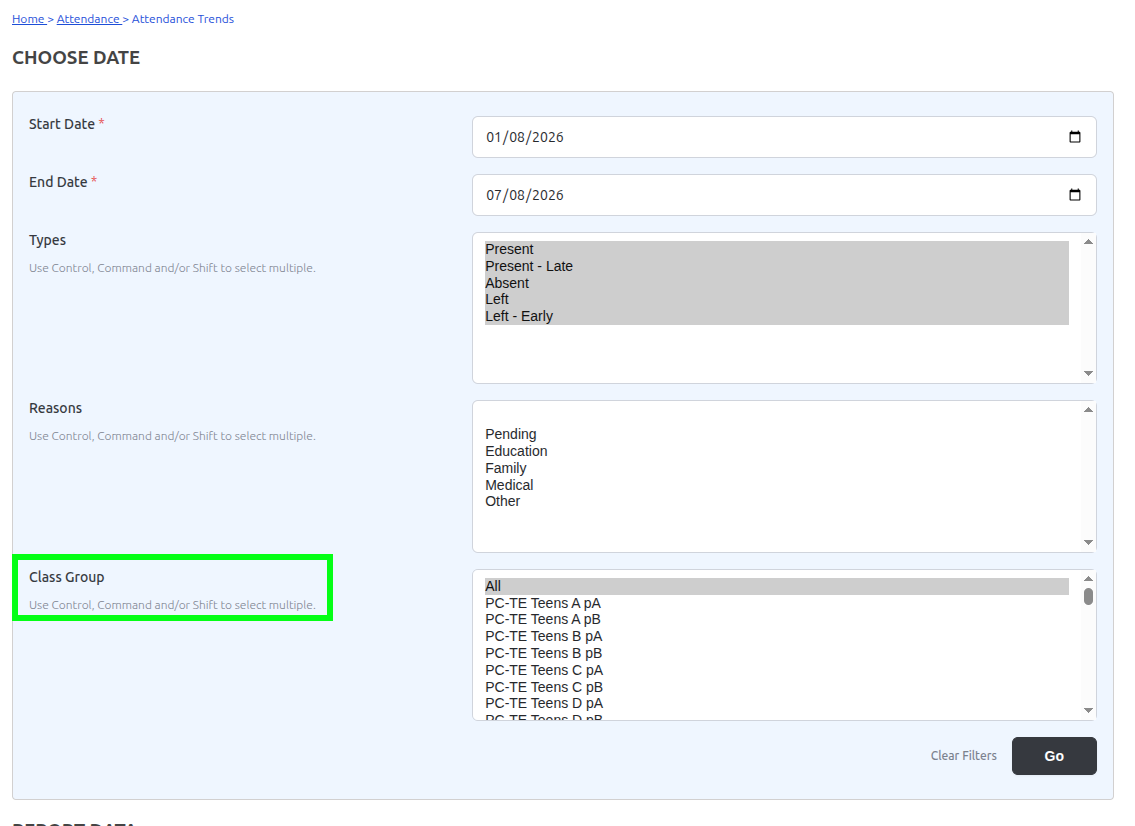
The filter dropdown is labelled “Class Group” in the UI, but the underlying SQL query pulls from gibbonFormGroup, not gibbonCourseClass:
SELECT gibbonFormGroupID as value, name FROM gibbonFormGroup WHERE gibbonSchoolYearID=:gibbonSchoolYearID ORDER BY LENGTH(name), name
The selected values are then passed to queryAttendanceCountsByType which filters gibbonAttendanceLogPerson by gibbonFormGroupID.
Since class-based attendance (Attendance by Class) stores records with gibbonFormGroupID = NULL, the Attendance Trends report returns zero data for schools that use class-based attendance exclusively.
For schools that rely on Attendance by Class rather than Attendance by Form Group, none of the attendance overview reports produce useful data, as they all appear to depend on gibbonFormGroupID being populated.
Suggested fix: Either rename the filter label to “Form Group” to accurately reflect what it filters, or extend the report to support filtering by Course Class using gibbonCourseClassID which, in our case, would be preferred.
We are running Gibbon v30.0.01. Happy to provide more detail or test a fix.
Thank you for raising this, and for the clear report.
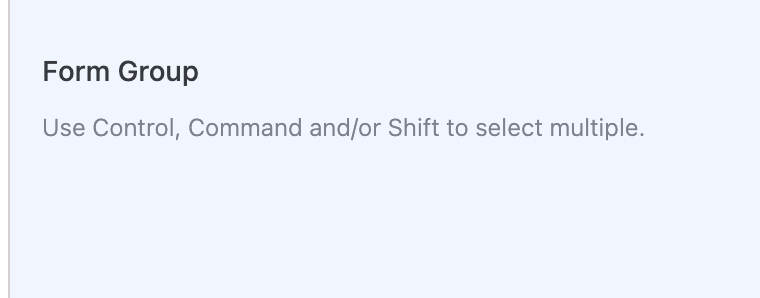
We’ve reviewed the Attendance Trends screen. As shown in the attached screenshot, the filter is labelled Form Group, and it correctly loads options from gibbonFormGroup (not course classes). That part of the report is working as designed.
When a Form Group is selected, the report filters by the student’s enrolment Form Group, not by gibbonAttendanceLogPerson.gibbonFormGroupID. Class attendance records do leave that log field empty, but that is not what drives this filter.
If your school takes attendance by class only and Trends looks empty, please check School Admin → Attendance Settings → Count Class Attendance as School Attendance. With this set to No (the default), class attendance is excluded from school-level reports such as Trends. Setting it to Yes includes those records.
Thank you for the reply, and apologies for the noise. I went through the source on our v30.0.01 install to check, and my original report was wrong on several points.
The label: the stock screen says “Form Group”. The “Class Group” wording in my screenshot comes from a String Replacement we set up ourselves (Form Group to Class Group), so this was not a Gibbon label problem and I simply forgot I did that.
The filter: queryAttendanceCountsByType joins gibbonStudentEnrolment and filters on the student’s enrolment Form Group. It does not read gibbonAttendanceLogPerson.gibbonFormGroupID, which is my bad… I should have checked it twice.
The empty report: the same function adds a condition excluding rows with context ‘Class’ when countClassAsSchool is “N”. That matches what you described. Our class-based attendance was being excluded by that setting, not by the NULL Form Group field. We have the setting on “Y” now.
So there is nothing to fix on the Gibbon side. I am leaving this thread here for anyone who runs into the same empty report with class-based attendance.