In the application form, the “How Did You Hear About Us?” field cannot be moved or deleted.
Also, when creating a generic field of type Long Text, the Label field disappears when editing the field later. Adding a description seems to replace the label.
I wanted to make sure these application form–related issues are reviewed before the v30 release. Here’s a more complete list:
In the application form, the “How Did You Hear About Us?” field cannot be moved, edited, or deleted.
When creating a generic field of type Long Text, the Label field disappears when editing it later. Adding a description seems to replace the label.
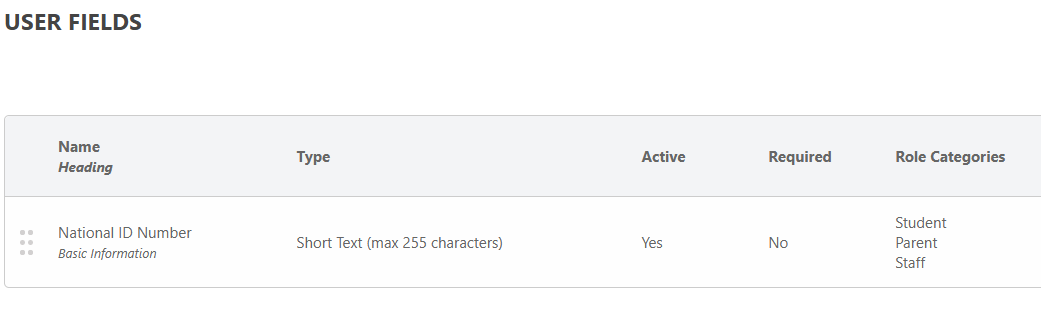
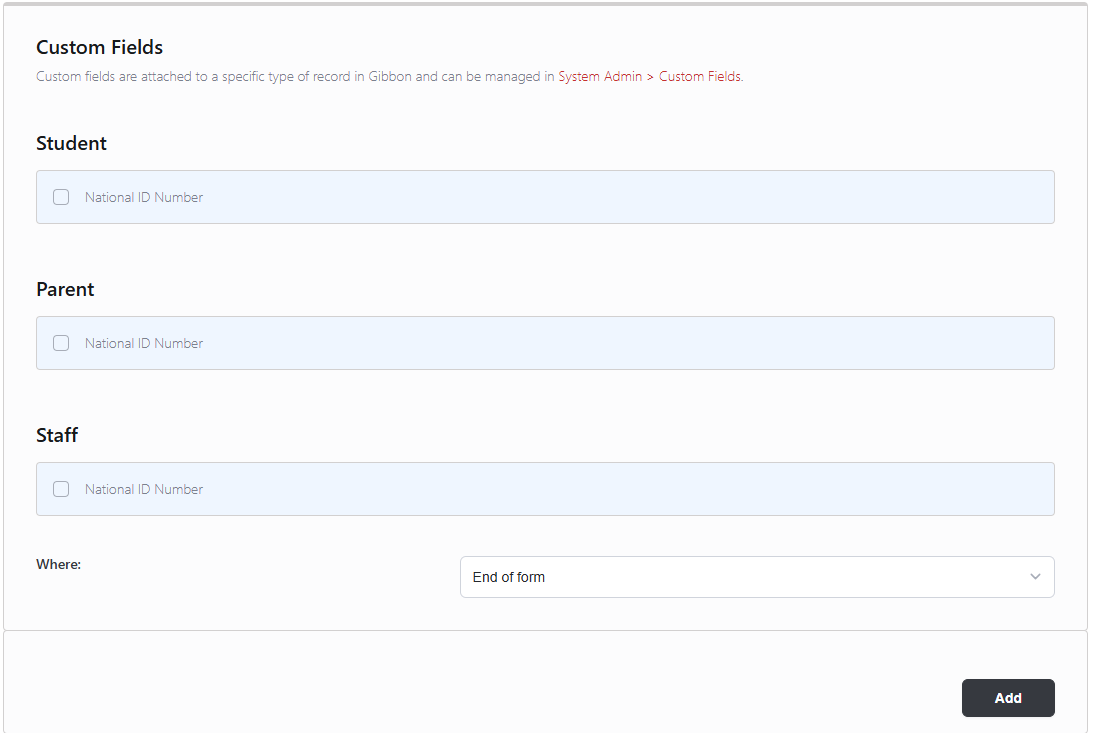
I created a custom field. Under Visibility → Role Categories, I selected both Student and Parent, but in Form Builder I can only add the field to Student.
On some pages, nothing happens when I attempt to edit or delete an element I’ve added. On other pages, I can do this for the same elements. For example, there’s a page with Personal Documents and a generic field of type Link. Not all pages have this issue.
Hi @tiekubd Thanks for bringing these back to our attention, we’ve added them to our development list to look at in the next week, and we’ll be sure they’re fixed for v30.
Hi @tiekubd, I’ve fixed issues 1 to 3, which have been committed to v30. Issue number 4 I was not able to reproduce, and it sounds intermittent on your end too. Are you able to have a look and see if there are any specific steps to reproduce the issue, such as certain types or combination of fields. Thanks.
I do see that issues 1 to 3 made it into the v30 CHANGELOG — thank you! I’ll be trying it out soon.
I also understand that issue #4 may not be as straightforward to troubleshoot or pin down. If it comes up again, I’ll be sure to document any specific steps to reproduce it.
In the application form, the “How Did You Hear About Us?” field cannot be moved, edited, or deleted.
Looks good. Thanks.
When creating a generic field of type Long Text, the Label field disappears when editing it later. Adding a description seems to replace the label.
Looks good. Thanks.
I created a custom field. Under Visibility → Role Categories, I selected both Student and Parent, but in Form Builder I can only add the field to Student.
In Form Builder I can see the custom field(s) for the Role Categories I selected - (Student, Parent, Staff). However, it appears that only one instance of the field can be added to the form.
If I attempt to add the field more than once, I receive the following message:
Your request was successful, but some fields were not unique and could not be added to the form: custom0001
This leads to a few questions:
For Parent, should I be able to add this same field for Parent 1 and Parent 2, or am I allowed only a single instance of the field across both/all parent records?
For Staff, which specific staff member would this field apply to when added to a form?
Thanks, I’ll have a look. In testing the fix, I must not have added multiple separate copies of the same custom field for different roles. I’ll see if I can get this fix into the v30.0.01 patch.